
Schedule of Classes
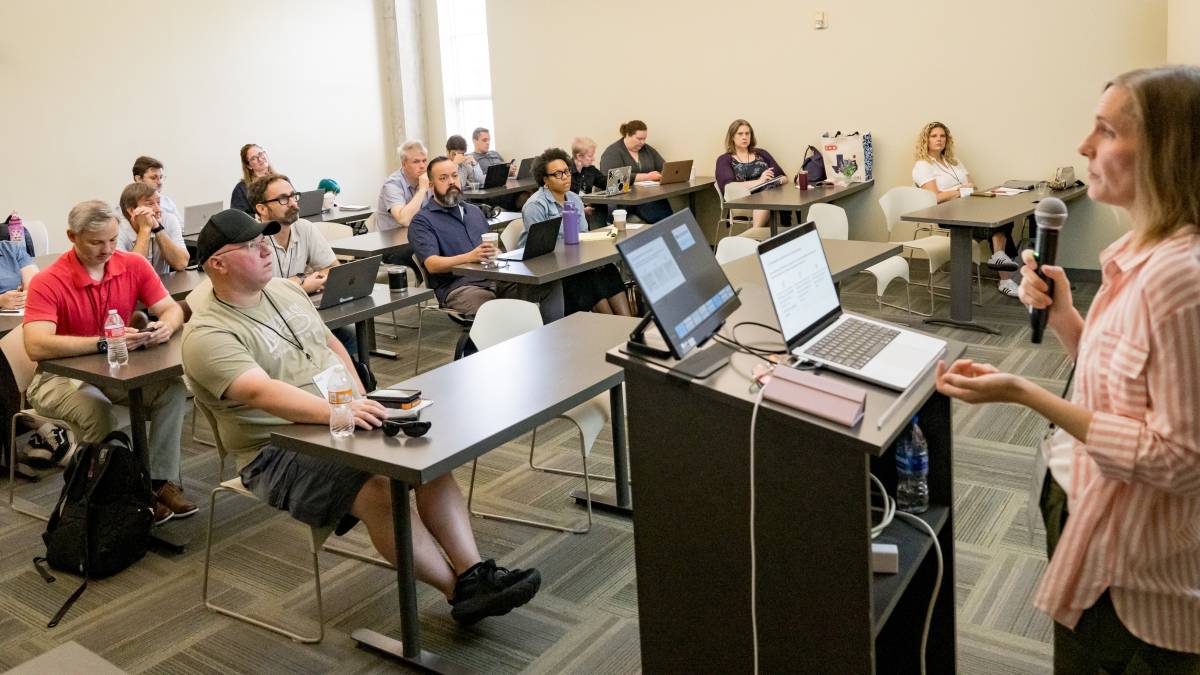
The AccessU 2026 class schedule includes one day of Pre-Conference Workshops followed by three days of live training and Q&A sessions. This schedule is near final and may be subject to change due to circumstances beyond our control. All times listed are US Central Time.
Types of sessions
AccessU 2026 is a hybrid event. All General Conference sessions and most Pre-conference Deep Dive Workshops will be available on-site and to virtual attendees. Most instructors will present in-person in Austin, TX, and we will indicate which instructors will present virtually.
- Deep Dives are pre-conference full-day workshops. Only attendees who purchase Premiere or Pre-conference tickets will have access to these workshops.
- General Sessions are 90-180 minute sessions.
- Flipped Classroom Sessions are back by popular demand, based on the success of Accessible Canada/Accessible World and organized in partnership with Accessible Community.
- Unconference: Conference attendees suggest and vote on topics during the week; top 6 will selected for facilitated discussion on Thursday.
- Evening and social events are also listed on the Conference Activities page of this website.
Thanks to our AccessU 2026 Sponsors!
Past Sessions:
Monday, May 11, 2026: AccessU 2026
9:00 AM
to 4:00 PMMon, May 11
-
Track: Testing
Accessibility and Visualization: Best (and worst!) Practices Trustee 112
taught by: Frank Elavsky
More Information about Accessibility and Visualization: Best (and worst!) Practices
Ever wondered how to catch accessibility barriers in interactive charts and graphs? How about co-designing visualizations with people with disabilities? What about designing and engineering using both established and emerging tools and practices? This workshop is for you. Session Detail for Accessibility and Visualization: Best (and worst!) Practices
-
Track: AI & Emerging Technologies
AI-Assisted Accessible Development: Building Workflows That Require Your Judgment Trustee 117
taught by: Kelsey Ruger
More Information about AI-Assisted Accessible Development: Building Workflows That Require Your Judgment
The thing experienced accessibility practitioners are quietly worried about isn't that AI will replace their judgment. It's that AI will make their judgment invisible. When the tools generate confident-looking, WCAG-adjacent markup that still fails real users, the gap between knowing and not knowing becomes much harder to see. This workshop builds both the domain knowledge and the AI workflow together, so the expertise is encoded in how you work, not just what you know. Session Detail for AI-Assisted Accessible Development: Building Workflows That Require Your Judgment
-
Track: Development
Simplifying Mobile Accessibility Trustee 113
taught by: Mark Steadman
More Information about Simplifying Mobile Accessibility
Mobile accessibility can be a very difficult space to navigate. Let's make it easier to dive right in! From common terms, breakdown of application accessibility, and building up accessibility on mobile development teams, this session will help build the foundation to ensure your mobile applications are accessible. Session Detail for Simplifying Mobile Accessibility
-
Track: Policy & Strategy
The Born-Accessible Lifecycle: Digital Publishing for Title II Accessibility Trustee 118
taught by: Christine Foushi & co-presented by: Rachel Comerford, Darrin Evans
More Information about The Born-Accessible Lifecycle: Digital Publishing for Title II Accessibility
This six-hour workshop provides a comprehensive, hands-on class in the "born accessible" publishing lifecycle, moving from foundational source content to advanced digital remediation. Participants will begin by mastering the nuances of alt-text creation and structural document design in Microsoft Word before transitioning into the technical "how-to" of converting those files into high-performance EPUBs using free, industry-standard tools. The afternoon session deep-dives into the "I have an … Session Detail for The Born-Accessible Lifecycle: Digital Publishing for Title II Accessibility
-
Track: Design & User Experience
Usability Testing with People with Disabilities Trustee 215
taught by: Kate Walser
More Information about Usability Testing with People with Disabilities
How can something technically be accessible but really unusable? It's a riddle best solved by observing how your users actually use your product with their preferred settings and assistive tools. Session Detail for Usability Testing with People with Disabilities
7:00 PM
to 8:00 PMMon, May 11
-
Track: Keynote, Advocacy
Keynote: How Technology Changed Me and What I Hope For in The Future Hyatt Regency
taught by: Lucy Greco
More Information about Keynote: How Technology Changed Me and What I Hope For in The Future
Lucy Greco has been working on digital accessibility for over 40 years and has seen how much technology can change the lives of people with disabilities. As a blind woman, technology has had a profound effect on her life. Lucy will share stories about how technology has changed her life and the lives of others around her. She will also examine where she sees technology going and what needs to happen to ensure that people with disabilities can not only use technology but thrive because of it. Session Detail For Keynote: How Technology Changed Me and What I Hope For in The Future
Tuesday, May 12, 2026: AccessU 2026
8:30 AM
to 11:45 AMTue, May 12
-
Track: Policy & Strategy
Accessibility in Procurement Deep(-er) Dive Trustee 117
taught by: Rob Carr
More Information about Accessibility in Procurement Deep(-er) Dive
This session will introduce tools and techniques that aim to rebalance the load when it comes to vetting accessibility in third-party products that we purchase or use. We'll discuss leveraging documentation, demonstrations, manual testing, and common purchasing tools to help. Session Detail for Accessibility in Procurement Deep(-er) Dive
-
Track: Documents & Templates
Accessible Presentations Lab: Plain Language, Descriptions, and Slide Practices You Can Use Immediately Trustee 118
taught by: Angela Young
More Information about Accessible Presentations Lab: Plain Language, Descriptions, and Slide Practices You Can Use Immediately
Most presentations accidentally exclude people, even when the content is strong. In this hands-on lab, you will rewrite slides in plain language, practice describing visuals (including charts), and leave with a repeatable checklist you can use in every meeting or conference talk. Session Detail for Accessible Presentations Lab: Plain Language, Descriptions, and Slide Practices You Can Use Immediately
-
Track: AI & Emerging Technologies
Flipped Classroom Challenge: Accessible Cybersecurity Trustee 104
taught by: Aliyu Yisa & co-presented by: Michelle D'Souza
More Information about Flipped Classroom Challenge: Accessible Cybersecurity
Sessions are open to all in-person and remote attendees of AccessU 2025 with ASL, live captioning, and transcription services provided. A session facilitator will lead and be supported by a provocateur charged with ensuring that diverse perspectives are explored. A scribe will capture the discussion and post to the dedicated session archive. Session Detail for Flipped Classroom Challenge: Accessible Cybersecurity
-
Track: Documents & Templates
Unlocking Minds: Designing for Cognitive Accessibility Trustee 116
taught by: Jan McSorley & co-presented by: Jennifer Holloway, Desiree Simeone
More Information about Unlocking Minds: Designing for Cognitive Accessibility
This session helps content creators design digital experiences that are easier for people with cognitive disabilities to use and understand. It will provide a brief overview of how cognitive disabilities can affect things like perception, memory, attention, and problem-solving. It will also cover practical design approaches that improve usability for everyone, as well as potential cognitive barriers associated with accessibility overlays. Presenters will walk through key frameworks such as … Session Detail for Unlocking Minds: Designing for Cognitive Accessibility
8:30 AM
to 10:00 AMTue, May 12
-
Track: Development
Accessible by Default: Crafting Modern UI Patterns That Just Work Trustee 203
taught by: Patrick Fox
More Information about Accessible by Default: Crafting Modern UI Patterns That Just Work
Modern browsers now offer powerful native HTML and CSS tools that make building accessible, elegant interfaces simpler than ever - yet many teams still reach for complex custom solutions that create unnecessary friction and accessibility barriers. This talk explores practical, platform-native approaches to common UI challenges, leaving attendees with concrete techniques for creating interfaces that are simpler, more robust, and more accessible by design. Session Detail for Accessible by Default: Crafting Modern UI Patterns That Just Work
-
Track: Development
Beyond the Alt-Attribute: Navigating Complex Images, Media, and Assessments for Universal Access Trustee 211
taught by: Christine Foushi & co-presented by: Darrin Evans
More Information about Beyond the Alt-Attribute: Navigating Complex Images, Media, and Assessments for Universal Access
Digital accessibility is often reduced to "adding alt text," but complex content—like interactive assessments, data-heavy infographics, and dynamic media—requires a more strategic approach. This 75-minute session will help determine when a simple text description suffices and when it’s time to pivot to an alternative format. Drawing on the POOR principles (Perceivable, Operable, Understandable, Robust), we will explore authoring techniques for interactive simulations and conduct hands-on … Session Detail for Beyond the Alt-Attribute: Navigating Complex Images, Media, and Assessments for Universal Access
-
Track: Testing
Creating a Framework for Web Accessibility Testing Trustee 113
taught by: Amy Chen & co-presented by: Bridget Kessler
More Information about Creating a Framework for Web Accessibility Testing
You are tasked with evaluating the accessibility of a website, but where do you start? Learn practical tips for creating a web testing strategy that fits your organization — whether you’re starting from scratch or improving processes you already have in place. Session Detail for Creating a Framework for Web Accessibility Testing
-
Track: Development
Stop Guessing: The Accessibility Fixes That Matter Most Trustee 214
taught by: Chad Hester
More Information about Stop Guessing: The Accessibility Fixes That Matter Most
Stop Guessing: The Accessibility Fixes That Matter Most is a practical, real-world session that focuses on accessibility issues that significantly affect users. Instead of attempting to fix everything at once, this session highlights the most important WCAG failures. It also shows how to quickly identify and prioritize the issues that are most crucial. Session Detail for Stop Guessing: The Accessibility Fixes That Matter Most
-
Track: Design & User Experience
Straight Talk: What Disabled Users Want You to Know When Designing your Product Trustee 215
taught by: Amy Mason & co-presented by: Bruno Torquato
More Information about Straight Talk: What Disabled Users Want You to Know When Designing your Product
We want to ensure that our products are accessible for all users. What does that really mean from the user’s perspective, and can we use good user research practices to get there? Session Detail for Straight Talk: What Disabled Users Want You to Know When Designing your Product
10:15 AM
to 11:45 AMTue, May 12
-
Track: Development
Accessibility 101+ Trustee 211
taught by: Thomas Brunet & co-presented by: Jess Lin
More Information about Accessibility 101+
For beginners and experienced accessibility professionals, we will discuss how to teach Accessibility fundamentals and business cases in the context of an enterprise environment in addition to guidance and tools IBM maintains. We will also explain the core concepts of why and how accessibility works in design and for development of software applications. Session Detail for Accessibility 101+
-
Track: Design & User Experience
Assistive Technologies: Transforming Lives and Workplaces Trustee 215
taught by: Ravi Gupta
More Information about Assistive Technologies: Transforming Lives and Workplaces
Assistive technologies are steadily enhancing accessibility in both daily life and the workplace, enabling individuals with disabilities to participate more fully and independently. This session will highlight key advancements and practical applications that are fostering greater inclusion and opportunity for all. Session Detail for Assistive Technologies: Transforming Lives and Workplaces
-
Track: AI & Emerging Technologies
Creating Fantastic Text Alternatives Trustee 214
taught by: Rachael Bradley Montgomery
More Information about Creating Fantastic Text Alternatives
Learn how to write outstanding text alternatives to images and discuss the future of image descriptions. Session Detail for Creating Fantastic Text Alternatives
-
Track: Testing
Don't Sweat the Small Stuff| WCAG Failures First, Best Practices Later Trustee 113
taught by: Lisan Hasnain
More Information about Don't Sweat the Small Stuff| WCAG Failures First, Best Practices Later
Teams often get stuck polishing best practices while major WCAG failures remain unresolved. This session will explore how to prioritize real WCAG failures first so remediation work creates meaningful impact for everyone involved. Session Detail for Don't Sweat the Small Stuff| WCAG Failures First, Best Practices Later
-
Track: Development
Let's Take a Trip! Headings and Regions Trustee 203
taught by: Leslie Schulz
More Information about Let's Take a Trip! Headings and Regions
When you drive, you look for signposts to get to your destination. What are those signposts for screen reader users? Learn about headings and regions and how to help users navigate! Session Detail for Let's Take a Trip! Headings and Regions
1:00 PM
to 2:00 PMTue, May 12
-
Track: Keynote, AI & Emerging Technologies
Keynote: AI on Our Terms: Shaping AI to Avoid the Pitfalls and Harness the Benefits Jones Auditorium (Ragsdale Hall)
taught by: Jutta Treviranus, Bill Curtis-Davidson
More Information about Keynote: AI on Our Terms: Shaping AI to Avoid the Pitfalls and Harness the Benefits
How can we shape and use a tool that was built to favor the average to benefit people who are far from average? What are the risks we should minimize? How can our organizations implement responsible AI? What is the latest guidance? Bill Curtis-Davidson and Jutta Treviranus will present their complementary but different perspectives on AI and accessibility. Session Detail For Keynote: AI on Our Terms: Shaping AI to Avoid the Pitfalls and Harness the Benefits
2:15 PM
to 5:30 PMTue, May 12
-
Track: Advocacy
10 Tips to Become the Accessibility SME on Your Team Trustee 116
taught by: Chad Hester
More Information about 10 Tips to Become the Accessibility SME on Your Team
This session provides ten practical, field-tested tips to help attendees grow from "Accessibility aware" to "Accessibility SME." We'll explore technical skills, communication strategies, tooling, and influence techniques that allow individuals to embed accessibility into everyday development workflows. Attendees will leave with actionable steps they can apply immediately, whether they are front-end developers, full-stack engineers, QA professionals, technical leads or program managers. Session Detail for 10 Tips to Become the Accessibility SME on Your Team
-
Track: Policy & Strategy
Digital Accessibility Ethics: Disability Inclusion in all Things Tech Trustee 118
taught by: Lainey Feingold & co-presented by: Derek Shields
More Information about Digital Accessibility Ethics: Disability Inclusion in all Things Tech
Join an interactive workshop to explore the recently introduced Digital Accessibility Ethics Framework. Discover the values, actions and questions designed to advance disability inclusion in tech and avoid the risks and harms of exclusion and practice applying them to your work. Session Detail for Digital Accessibility Ethics: Disability Inclusion in all Things Tech
-
Track: AI & Emerging Technologies
Flipped Classroom Challenge: Navigating the Opportunities and Risks of Artificial Intelligence Trustee 104
taught by: Bill Curtis-Davidson & co-presented by: Jutta Treviranus
More Information about Flipped Classroom Challenge: Navigating the Opportunities and Risks of Artificial Intelligence
Sessions are open to all in-person and remote attendees of AccessU 2025 with ASL, live captioning, and transcription services provided. A session facilitator will lead and be supported by a provocateur charged with ensuring that diverse perspectives are explored. A scribe will capture the discussion and post to the dedicated session archive. Session Detail for Flipped Classroom Challenge: Navigating the Opportunities and Risks of Artificial Intelligence
-
Track: Testing
Use the Digital Accessibility Matrix as a Title II Compliance Tool Trustee 113
taught by: Vivian Seki & co-presented by: Cynthia Edwards
More Information about Use the Digital Accessibility Matrix as a Title II Compliance Tool
Title II compliance requirement is here, so how do you keep it going forward? Learn how to use the Digital Accessibility Matrix (DAM) developed by UNT Health Fort Worth and proactively integrate it into your digital publishing process to maintain compliance and accessibility. Session Detail for Use the Digital Accessibility Matrix as a Title II Compliance Tool
2:15 PM
to 3:45 PMTue, May 12
-
Track: Design & User Experience
Accessible on Paper, Broken in Reality: Why Accessibility User Testing Changes Everything Trustee 214
taught by: Charlii Parker
More Information about Accessible on Paper, Broken in Reality: Why Accessibility User Testing Changes Everything
Accessibility can pass every audit and still fail a real person. This session exposes the gap between technical compliance and lived experience and shows why user testing is where accessibility becomes real. Session Detail for Accessible on Paper, Broken in Reality: Why Accessibility User Testing Changes Everything
-
Track: Policy & Strategy
Building a Sustainable Accessibility Program Trustee 216
taught by: Brian Robinson & co-presented by: JJ Rogers
More Information about Building a Sustainable Accessibility Program
Having a sustainable and comprehensive accessibility program is essential for companies building software products, but what makes it successful? In this interactive session, we will explore and build a framework for a successful program together. Session Detail for Building a Sustainable Accessibility Program
-
Track: Testing
Conducting Accessibility Testing Trustee 211
taught by: Gian Wild
More Information about Conducting Accessibility Testing
How do you figure out what, when, who and how accessibility testing should be conducted? Gian Wild talks about who should do the testing: hiring experts, hiring people with disabilities or training up existing staff, using external consultancies or building an in-house accessibility team. Session Detail for Conducting Accessibility Testing
-
Track: Design & User Experience
Inclusive by Design — Accessibility in UX from Personas to Production Trustee 215
taught by: Hiral Bhatt
More Information about Inclusive by Design — Accessibility in UX from Personas to Production
Accessibility shouldn't be a last-minute fix — it should be baked into every stage of the design process. This session shows you how to shift left and design products that work for everyone from the start. Session Detail for Inclusive by Design — Accessibility in UX from Personas to Production
2:15 PM
to 3:45 PMTue, May 12
-
Track: Policy & Strategy
Show Me an EIR Accessibility Program that Works! Trustee 203
taught by: Laura Hopkins
More Information about Show Me an EIR Accessibility Program that Works!
Are you struggling to find a detailed strategy for rolling out an EIR accessibility program that works? We will explain the approach at UTA and the success we have measured. Take our plan and make it your own! Session Detail for Show Me an EIR Accessibility Program that Works!
4:00 PM
to 5:30 PMTue, May 12
-
Track: Testing
Creating Accessibility Acceptance Criteria Trustee 214
taught by: Russ Weakley
More Information about Creating Accessibility Acceptance Criteria
Learn a clear, repeatable process for writing accessibility acceptance criteria at two levels: page and user flows, and reusable UI components. This session walks through each step for identifying barriers, shaping them into test questions, and converting them into robust, testable criteria your teams can use with confidence. Session Detail for Creating Accessibility Acceptance Criteria
-
Track: Policy & Strategy
Doing Less with More (Yes You Read That Correctly) Trustee 211
taught by: Kylie Pollock
More Information about Doing Less with More (Yes You Read That Correctly)
Anyone can tell you how to do more with less, but it seems no one tells you that having more (more accessibility SMEs, more budget, more business area coverage, more focus and visibility) can sometimes lead to delivering less. We made the mistakes so you don’t have to! Instead, learn from witnessed “success free zones” Session Detail for Doing Less with More (Yes You Read That Correctly)
-
Track: Policy & Strategy
From Policy to Practice: Implementing Title II Accessibility in a Medical School Environment Trustee 117
taught by: Jean-Marc Buytaert
More Information about From Policy to Practice: Implementing Title II Accessibility in a Medical School Environment
Many institutions struggle to move from policy to practice when implementing Title II compliance. This session shares practical strategies for testing, remediating, and retesting websites and digital resources, building repeatable accessibility workflows that content creators and developers can actually use. Session Detail for From Policy to Practice: Implementing Title II Accessibility in a Medical School Environment
-
Track: Development
Say My Name: Accessible Labeling in HTML & ARIA Trustee 203
taught by: Becky Gibson
More Information about Say My Name: Accessible Labeling in HTML & ARIA
Come learn the many ways that you can and need to label items for assistive technology. This session will cover techniques using basic HTML and ARIA to provide accessible names for various scenarios. Session Detail for Say My Name: Accessible Labeling in HTML & ARIA
-
Track: Policy & Strategy
Stakeholder Influence Lab: Get Buy-In for Accessibility Without Begging, Backpedaling, or Burning Out Trustee 216
taught by: Angela Young
More Information about Stakeholder Influence Lab: Get Buy-In for Accessibility Without Begging, Backpedaling, or Burning Out
Accessibility work stalls when the ask is vague and stakeholders are misaligned. In this hands-on lab for experienced practitioners, you will leave with three ready-to-use tools: a stakeholder influence map, a one-page executive brief, and a set of pushback-response scripts you can use immediately. Session Detail for Stakeholder Influence Lab: Get Buy-In for Accessibility Without Begging, Backpedaling, or Burning Out
6:00 PM
to 7:30 PMTue, May 12
-
Track: Special Session
Book Signing: Digital Accessibility Ethics: Disability Inclusion in All Things Tech Mabee Ballroom (Ragsdale Hall)
taught by: Lainey Feingold, Jutta Treviranus
More Information about Book Signing: Digital Accessibility Ethics: Disability Inclusion in All Things Tech
Join authors Lainey Feingold and Jutta Treviranus as they talk about their book and sign copies. Session Detail for Book Signing: Digital Accessibility Ethics: Disability Inclusion in All Things Tech
Wednesday, May 13, 2026: AccessU 2026
8:30 AM
to 10:00 AMWed, May 13
-
Track: Development
Accessibility as Agile: Build It Into Done Trustee 203
taught by: Janell Sims
More Information about Accessibility as Agile: Build It Into Done
Accessibility is not a final-sprint scramble, it’s an Agile quality habit. Learn how to build digital accessibility into everyday delivery by embedding it in discovery, user stories and requirements, acceptance criteria, and especially the definition of done. Session Detail for Accessibility as Agile: Build It Into Done
-
Track: Testing
AI, User Experience & the Future of Manual Digital Accessibility Testing Trustee 211
taught by: David Adi
More Information about AI, User Experience & the Future of Manual Digital Accessibility Testing
AI is reshaping how organizations approach manual digital accessibility testing, but human expertise remains essential for accuracy, context, and inclusive user experience. This session explores how AI and manual testing can work together to dramatically improve quality, speed, and compliance. Attendees will learn practical strategies for integrating AI into accessibility workflows without compromising trust, ethics, or user‑centered design. Session Detail for AI, User Experience & the Future of Manual Digital Accessibility Testing
-
Track: Design & User Experience
Annotating Designs for Accessibility Trustee 215
taught by: Rick Blair & co-presented by: Chloe Echasseriau
More Information about Annotating Designs for Accessibility
How many times have you created a design, only to have it not look or operate as you intended after development has completed. in this session, we will show you how to annotate your design, including functionality and accessibility, so that developers actually implement your vision. Session Detail for Annotating Designs for Accessibility
-
Track: Testing
How to Score a VPAT/ACR Trustee 113
taught by: Laura Hopkins
More Information about How to Score a VPAT/ACR
Learn how to use UTA's VPAT Scorecard. Session Detail for How to Score a VPAT/ACR
-
Track: AI & Emerging Technologies
Where AI Testing Ends and Accessibility Responsibility Begins Trustee 214
taught by: Matthew Elefant
More Information about Where AI Testing Ends and Accessibility Responsibility Begins
Automation has transformed accessibility testing—but responsibility can’t be automated. This session breaks down where AI accelerates accessibility efforts and where human judgment is essential to avoid false confidence, usability gaps, and real-world risk. Session Detail for Where AI Testing Ends and Accessibility Responsibility Begins
8:30 AM
to 11:45 AMWed, May 13
-
Track: Design & User Experience
Accessibility for Designers Trustee 116
taught by: Miranda Capra
More Information about Accessibility for Designers
This class will help web and app designers create accessible designs. It will walk through common design patterns and examples drawn from years of coaching teams on creating usable and accessible designs. Session Detail for Accessibility for Designers
-
Track: Design & User Experience
Audio Description Training: Core Skills and Best Practices Trustee 118
taught by: Celia Hughes & co-presented by: Jessica Glasebrook, Luke Stollings
More Information about Audio Description Training: Core Skills and Best Practices
A comprehensive discussion about Audio Description and how it best serves Blind, low visioned and other communities, through hands-on applications of core skills and best practices of Audio Description techniques. Session Detail for Audio Description Training: Core Skills and Best Practices
-
Track: Policy & Strategy
Flipped Classroom Challenge: How Climate Change is Affecting Disabled People Trustee 104
taught by: Peter Slatin & co-presented by: Jutta Treviranus
More Information about Flipped Classroom Challenge: How Climate Change is Affecting Disabled People
Sessions are open to all in-person and remote attendees of AccessU 2025 with ASL, live captioning, and transcription services provided. A session facilitator will lead and be supported by a provocateur charged with ensuring that diverse perspectives are explored. A scribe will capture the discussion and post to the dedicated session archive. Session Detail for Flipped Classroom Challenge: How Climate Change is Affecting Disabled People
-
Track: Development
Inclusive Data Visualization with ParaCharts Trustee 117
taught by: Doug Schepers & co-presented by: Charlotte McCleary
More Information about Inclusive Data Visualization with ParaCharts
Data visualizations like charts are often challenging to make accessible. We'll describe dataviz problems and solutions, and introduce ParaCharts, a new data visualization tool that makes it easy to create and publish charts on your website that are fully accessible to people with a wide variety of disabilities. Session Detail for Inclusive Data Visualization with ParaCharts
8:30 AM
to 10:15 AMWed, May 13
-
Track: Policy & Strategy
The W3C Accessibility Maturity Model: Overview and Application to Strategic Planning Trustee 216
taught by: Jeff Kline
More Information about The W3C Accessibility Maturity Model: Overview and Application to Strategic Planning
The W3C Accessibility Maturity Model (W3C AMM), published on November 4, was a multi year initiative developed by a team of subject matter experts in accessibility and more specifically accessibility maturity models. The W3C AMM has significant advantages over current ad hoc maturity models in use today. The model was developed as part of the W3C Accessible Programs Architecture Workgroup and is envisioned to become the de facto standard for accessibility maturity models worldwide. This session … Session Detail for The W3C Accessibility Maturity Model: Overview and Application to Strategic Planning
10:15 AM
to 11:45 AMWed, May 13
-
Track: Documents & Templates
A New Approach to Low Vision Accommodation Trustee 203
taught by: Wayne Dick
More Information about A New Approach to Low Vision Accommodation
When reading PDFs, reflow, the process that lets text wrap when enlarged can interfere with reading comprehension and fails WCAG 2.1 Success Criterion 1.4.10. This session discusses how to fix the reflow problem for people who use magnification. Session Detail for A New Approach to Low Vision Accommodation
-
Track: Testing
Accessible Voice Recorders: Hands-On Audio Production with Built-In Voice Guidance Trustee 215
taught by: Desiree Simeone
More Information about Accessible Voice Recorders: Hands-On Audio Production with Built-In Voice Guidance
Accessible audio production is no longer a niche skill — it is essential for podcasters, educators, musicians, and content creators. In this live demonstration session, participants will explore the built-in voice guidance accessibility features of professional portable recorders manufactured by Zoom Corporation, including the Zoom H6 Studio and the Zoom PodTrak P4 Next. Session Detail for Accessible Voice Recorders: Hands-On Audio Production with Built-In Voice Guidance
-
Track: Policy & Strategy
Fill in the Gap: Create Your Own Accessibility Squad Trustee 216
taught by: Kat Weigle
More Information about Fill in the Gap: Create Your Own Accessibility Squad
When no one else is prioritizing accessibility for a digital product, you might have to take the reins and create your own accessibility squad to ensure implementation of best practices and thorough testing. In this session, you'll learn about making digital accessibility accessible for your coworkers who know nothing about accessibility. Session Detail for Fill in the Gap: Create Your Own Accessibility Squad
-
Track: AI & Emerging Technologies
Practical AI Tools for Digital Accessibility Work Trustee 214
taught by: Bouton Jones & co-presented by: Jan McSorley
More Information about Practical AI Tools for Digital Accessibility Work
This 90-minute session introduces practical ways to use AI tools such as ChatGPT and Microsoft Copilot to support digital accessibility work. It is designed for developers, content authors, testers, and accessibility practitioners with basic computer skills. No prior AI experience is required. Session Detail for Practical AI Tools for Digital Accessibility Work
-
Track: Testing
“You’re Not a Screen Reader User — and That’s Okay”: How to Test Accessibly Without Pretending to Be Native Trustee 113
taught by: Deneb Pulsipher & co-presented by: Akosua (Kosi) Asabere
More Information about “You’re Not a Screen Reader User — and That’s Okay”: How to Test Accessibly Without Pretending to Be Native
This session reframes screen reader testing for accessibility professionals, shifting it from a daunting performance of fluency into a strategic, non-native skill. Using the Screen Reader Ropes Course and a four-phase framework, attendees will learn practical techniques to responsibly evaluate interfaces, understand the limits of their testing compared to native blind users, and confidently produce useful findings. Session Detail for “You’re Not a Screen Reader User — and That’s Okay”: How to Test Accessibly Without Pretending to Be Native
1:00 PM
to 2:00 PMWed, May 13
-
Track: Special Session
Keynote: The 2026 AccessU Legal Update Jones Auditorium (Ragsdale Hall)
taught by: Eve Hill
More Information about Keynote: The 2026 AccessU Legal Update
Digital accessibility is a civil right for people with disabilities. Join nationally-renowned disability rights attorney Eve Hill as she provides background on the legal landscape and share recent developments, trends, and upcoming activities in the digital accessibility legal space. Session Detail for Keynote: The 2026 AccessU Legal Update
2:15 PM
to 5:30 PMWed, May 13
-
Track: Documents & Templates
Accessible Word Documents (and how to make them an accessible PDF) Trustee 117
taught by: Laura Hopkins
More Information about Accessible Word Documents (and how to make them an accessible PDF)
A beginner's course on Word accessibility that includes basic PDF remediation. Session Detail for Accessible Word Documents (and how to make them an accessible PDF)
-
Track: Development, Design & User Experience
Design Systems - A Pattern for Success Trustee 211
taught by: Kylie Pollock
More Information about Design Systems - A Pattern for Success
Design systems are no longer a “nice to have.” True accessible design systems are essential to scaling your digital accessibility initiatives and delivering impactful digital content. Learn where to start, how to grow and all the facts you need to know, to start developing (or improving) your design system. Session Detail for Design Systems - A Pattern for Success
-
Track: Policy & Strategy
Flipped Classroom Challenge: Sustaining and Maintaining Accessibility Trustee 104
taught by: Pina D'Intino & co-presented by: Wendy Chisholm
More Information about Flipped Classroom Challenge: Sustaining and Maintaining Accessibility
Sessions are open to all in-person and remote attendees of AccessU 2025 with ASL, live captioning, and transcription services provided. A session facilitator will lead and be supported by a provocateur charged with ensuring that diverse perspectives are explored. A scribe will capture the discussion and post to the dedicated session archive. Session Detail for Flipped Classroom Challenge: Sustaining and Maintaining Accessibility
-
Track: Design & User Experience
Neuroinclusive Meetings Lab: A Hybrid Facilitation Toolkit That Actually Works Trustee 116
taught by: Angela Young
More Information about Neuroinclusive Meetings Lab: A Hybrid Facilitation Toolkit That Actually Works
Meetings are where neurodivergent people get excluded first, especially in hybrid rooms. In this hands-on lab, you will practice concrete facilitation moves and leave with a ready-to-use toolkit: an agenda template, a norm menu, inclusive Q&A patterns, and a follow-up structure that reduces ambiguity for everyone. Session Detail for Neuroinclusive Meetings Lab: A Hybrid Facilitation Toolkit That Actually Works
2:15 PM
to 3:45 PMWed, May 13
-
Track: AI & Emerging Technologies
Advancing Access and Taming AI: Empowering Everyone Through Accessible Innovation Trustee 214
taught by: Meg Kareithi, Sean Loraas, Jessica Glasebrook
More Information about Advancing Access and Taming AI: Empowering Everyone Through Accessible Innovation
We will explore how AI can strengthen accessibility in education and rehabilitation if implemented with intention and oversight. A collaboration between Austin Community College and the Criss Cole Rehabilitation Center for the Blind, this session examines how AI-powered tools can support independent learning, braille literacy, and empower everyone to create accessible digital content. Session Detail for Advancing Access and Taming AI: Empowering Everyone Through Accessible Innovation
-
Track: Development
An Introduction to Inclusive Design Sprints at Microsoft Trustee 118
taught by: Bryce Johnson & co-presented by: Sarah Heinzen
More Information about An Introduction to Inclusive Design Sprints at Microsoft
Learn how to apply the Microsoft Inclusive Design process to your own work through practical, real-world strategies for running inclusive design sprints. This workshop focuses on co-creation with people with disabilities, sharing methods for inclusive recruitment, equitable collaboration, and building with — not just for — the communities you serve. Session Detail for An Introduction to Inclusive Design Sprints at Microsoft
-
Track: Testing, Design & User Experience
Beyond Automation: Building Inclusive K-12 Digital Experiences Through Collaboration and Manual Testing Trustee 113
taught by: Jeremy Schmidt & co-presented by: Tiff Koval
More Information about Beyond Automation: Building Inclusive K-12 Digital Experiences Through Collaboration and Manual Testing
Discover how manual accessibility testing and collaboration with the disability community can bridge gaps left by automated tools, ensuring more inclusive and user-centered digital experiences. This session will highlight overlooked issues and showcase practical strategies for creating accessible K-12 products. Session Detail for Beyond Automation: Building Inclusive K-12 Digital Experiences Through Collaboration and Manual Testing
-
Track: Development
Decoding WCAG Color and Contrast Requirements Trustee 203
taught by: Jonathan Whiting
More Information about Decoding WCAG Color and Contrast Requirements
In this hands-on session, we will dig into the contrast and color requirements in the Web Content Accessibility Guidelines WCAG 2. We will learn how WCAG defines "contrast" and "use of color," what it requires in these two areas, and how to evaluate these requirements on the web using free tools. Session Detail for Decoding WCAG Color and Contrast Requirements
-
Track: Design & User Experience
Designing for Optimal Cognitive Function Trustee 216
taught by: Jan McSorley & co-presented by: Dr. Anne Forrest
More Information about Designing for Optimal Cognitive Function
This session explores how design choices for digital content can either reduce or create cognitive barriers for people with and without cognitive and learning disabilities. Participants will be introduced to key frameworks such as User-Centered Design, Inclusive Design, and Universal Design for Learning, along with practical guidance from W3C’s cognitive accessibility resources. Through real-world examples the session highlights how user needs can be excluded from common design patterns, … Session Detail for Designing for Optimal Cognitive Function
-
Track: Development
SwiftUI Accessibility Techniques: Good & Bad Practices for iOS Apps Trustee 215
taught by: Paul Adam
More Information about SwiftUI Accessibility Techniques: Good & Bad Practices for iOS Apps
This session will teach developers and designers how to build accessible SwiftUI iOS apps for users with disabilities. Accessibility testers will learn the expected behavior of accessible UI controls when used with VoiceOver, Voice Control, and Full Keyboard Access. We will use the CVS Health iOS SwiftUI Accessibility Techniques open-source project on GitHub and iOS App Store app to demonstrate how to apply WCAG to native iOS apps. Session Detail for SwiftUI Accessibility Techniques: Good & Bad Practices for iOS Apps
4:00 PM
to 5:30 PMWed, May 13
-
Track: Documents & Templates
Beyond WCAG for PDF: Understanding PDF/UA and the Matterhorn Protocol Trustee 118
taught by: Bouton Jones
More Information about Beyond WCAG for PDF: Understanding PDF/UA and the Matterhorn Protocol
This 90-minute session explains the standards and testing approaches that matter most for accessible PDF documents. While WCAG provides a strong foundation, it does not fully address the technical and usability requirements of PDFs. Session Detail for Beyond WCAG for PDF: Understanding PDF/UA and the Matterhorn Protocol
-
Track: Development, Design & User Experience
Fill Every Field: Creating Forms That People With Cognitive Disabilities Can Actually Use Trustee 203
taught by: Jonathan Katz-Ouziel
More Information about Fill Every Field: Creating Forms That People With Cognitive Disabilities Can Actually Use
Many people with cognitive disabilities have trouble completing forms or providing input, because these tools are not accessible - but there are practical ways to understand, address, and avoid these barriers. In this session, you will learn hands-on ways to make forms and input mechanisms that people with cognitive disabilities can actually use. Session Detail for Fill Every Field: Creating Forms That People With Cognitive Disabilities Can Actually Use
-
Track: Design & User Experience
(Not) Too Cool for School: Teaching Digital Accessibility Trustee 215
taught by: Erica Braverman
More Information about (Not) Too Cool for School: Teaching Digital Accessibility
Learning about digital accessibility can happen at any age. We will explore considerations and strategies for teaching digital accessibility concepts to students in both K-12 schools and higher education. Session Detail for (Not) Too Cool for School: Teaching Digital Accessibility
-
Track: Development
Shift Left: Trials, Tribulations, and How to Address Them Trustee 113
taught by: Wesley Estes & co-presented by: Eduardo Meza Etienne
More Information about Shift Left: Trials, Tribulations, and How to Address Them
This 90 minute session shows you how to build accessibility into requirements, design, development, QA, and release workflows so you stop treating accessibility as a final audit. You will learn the most common enterprise barriers to Shift Left and the specific process fixes, templates, and metrics you can use to create repeatable, measurable adoption. Session Detail for Shift Left: Trials, Tribulations, and How to Address Them
-
Track: AI & Emerging Technologies
Using AI to Create More Ambitious, Accessible Learning Experiences Trustee 214
taught by: Laura Marshall
More Information about Using AI to Create More Ambitious, Accessible Learning Experiences
Digital accessibility is high-stakes work, and learning designers who care are always looking to improve their practice. This session explores how AI can serve as a collaborator and mentor throughout your design process, helping you create more ambitious, accessible learning experiences while growing and testing your skills. Session Detail for Using AI to Create More Ambitious, Accessible Learning Experiences
Thursday, May 14, 2026: AccessU 2026
8:30 AM
to 11:45 AMThu, May 14
-
Track: Documents & Templates
Accessible PowerPoint Presentations Trustee 118
taught by: Mike Zapata
More Information about Accessible PowerPoint Presentations
This class teaches students the basics of preparing, designing, and delivering accessible presentations using Microsoft PowerPoint. Session Detail for Accessible PowerPoint Presentations
-
Track: Testing
Back to the Basics! Standard HTML Trustee 216
taught by: Leslie Schulz
More Information about Back to the Basics! Standard HTML
If you are NOT a developer but are passionate about accessibility, this course will introduce you to standard HTML, helping you to better understand what accessibility is all about! Session Detail for Back to the Basics! Standard HTML
-
Track: Policy & Strategy
Designing Accessibility Training That Sticks: Applying Learning Science for Retention, Transfer, and Long-Term Accessibility Ownership Trustee 117
taught by: Eva Nautiyal
More Information about Designing Accessibility Training That Sticks: Applying Learning Science for Retention, Transfer, and Long-Term Accessibility Ownership
Our accessibility trainings are often designed as a one-and-done training program for web editors, with the expectation that they will learn everything there is to know about accessibility and follow through proactively. Let's instead look at how our brain consumes and retains new information and apply those methods to an effective training framework. Session Detail for Designing Accessibility Training That Sticks: Applying Learning Science for Retention, Transfer, and Long-Term Accessibility Ownership
-
Track: Development
From Newbie to Ninja: Acquire Real-World Web Accessibility Skills Trustee 104
taught by: Chad Hester
More Information about From Newbie to Ninja: Acquire Real-World Web Accessibility Skills
Most teams want to build accessible web experiences, but developers and designers often don’t know what to fix first, what matters most, or how to test beyond automated tools. This full-day workshop takes attendees from accessibility fundamentals to real-world implementation skills. Session Detail for From Newbie to Ninja: Acquire Real-World Web Accessibility Skills
-
Track: Design & User Experience
The WHAT, HOW, & WHY of Accessibility: Understanding How Disabled Users Consume Content to Show Why Accessibility Considerations Matter Trustee 116
taught by: Wesley Estes & co-presented by: Rachele DiTullio
More Information about The WHAT, HOW, & WHY of Accessibility: Understanding How Disabled Users Consume Content to Show Why Accessibility Considerations Matter
Do you have an idea WHAT Accessibility is, but are still unclear HOW users with disabilities actually consume and interact with your content, thus don't really understand WHY it matters that Accessibility considerations are considered during design and development? Session Detail for The WHAT, HOW, & WHY of Accessibility: Understanding How Disabled Users Consume Content to Show Why Accessibility Considerations Matter
8:30 AM
to 10:00 AMThu, May 14
-
Track: Design & User Experience
Feeling Music: Developing Student Informed Practices for Music Accessibility Trustee 215
taught by: Daniel Bernardo
More Information about Feeling Music: Developing Student Informed Practices for Music Accessibility
The following session covers experiences and strategies developed while working with UNT’s college of music, and developed in collaboration with students with accessibility needs. Learn how we combined existing accessibility technology, subject-specific software, and most importantly the feedback from students in need to help tackle accessibility issues in a notoriously difficult subject! And see how these strategies can help any subject. Session Detail for Feeling Music: Developing Student Informed Practices for Music Accessibility
-
Track: Documents & Templates
Microsoft Excel Accessibility for AccessU 2026 Trustee 113
taught by: Richard Steinberg
More Information about Microsoft Excel Accessibility for AccessU 2026
This session will focus on understanding what makes Microsoft Excel data tables and charts accessible, and will include demonstrations of assistive technologies with Excel. Making Excel documents accessible ultimately improves usability for everyone, making them easier to read, access information quickly, and manage over time. Session Detail for Microsoft Excel Accessibility for AccessU 2026
-
Track: Testing, Development
Perfect is the Enemy of Accessible Trustee 203
taught by: Lyssa Prince
More Information about Perfect is the Enemy of Accessible
Perfectionism in accessibility work can paralyze both practitioners and newcomers, creating fear instead of progress. Through personal examples and a practical framework, this session explores how perfectionist expectations harm accessibility goals and provides strategies for sustainable, imperfect practices that help more users. Session Detail for Perfect is the Enemy of Accessible
-
Track: AI & Emerging Technologies
Ungenerating Barriers: Fixing and Avoiding Accessibility Issues Caused by Generative AI Trustee 214
taught by: Jonathan Katz-Ouziel & co-presented by: Thomas Logan
More Information about Ungenerating Barriers: Fixing and Avoiding Accessibility Issues Caused by Generative AI
Generative AI is in many places nowadays - and when people use it to create code and content, the results are often inaccessible. The amount of generated barriers can feel overwhelming - but luckily, there are techniques and tools that can help you fix them. This presentation will help you understand why Generative AI can produce barriers in the way that it does - and simple tools to fix and avoid these issues in the future. Session Detail for Ungenerating Barriers: Fixing and Avoiding Accessibility Issues Caused by Generative AI
-
Track: AI & Emerging Technologies
WCAG Without the Fear Factor: Building Accessible Sites with Help from LLMs Trustee 211
taught by: Venkata Vemuri
More Information about WCAG Without the Fear Factor: Building Accessible Sites with Help from LLMs
This session shows how LLMs like Grok, GPT-5, and Claude can act as hands-on assistants for implementing WCAG-compliant websites, even if you are not an accessibility expert. Attendees will learn concrete prompts, examples, and workflows that make accessible implementation faster and less intimidating. Session Detail for WCAG Without the Fear Factor: Building Accessible Sites with Help from LLMs
10:15 AM
to 11:45 AMThu, May 14
-
Track: AI & Emerging Technologies
Alt Text Creation and Consumption in the AI Verse Trustee 211
taught by: Anthony Fernando & co-presented by: Dave Wilkinson
More Information about Alt Text Creation and Consumption in the AI Verse
Alt text allows images to function as commercials for content by eliciting desire in screen reader consumers to dive deeper. AI tools let content creators generate enticing alt text and give content consumers a means to gain personalized results. Session Detail for Alt Text Creation and Consumption in the AI Verse
-
Track: Policy & Strategy
Mandate to Mindset: Enterprise Accessibility for State and Local Governments Trustee 113
taught by: Jan McSorley & co-presented by: John Kirkwood
More Information about Mandate to Mindset: Enterprise Accessibility for State and Local Governments
This session shows how ADA Title II requirements can help your organization move beyond compliance to building better systems and stronger cross-functional collaboration. Practical, customizable tools for getting started will be covered, including a simple governance model, how to set and track goals, and strategies for holding vendors accountable for accessibility. Together, these approaches can help organizations move away from reactive, one-off efforts and toward a culture where teams work … Session Detail for Mandate to Mindset: Enterprise Accessibility for State and Local Governments
-
Track: Design & User Experience
The Illusion of the Rational User - Misbehavior, Distraction, Mistakes and Accessibility Testing for Real Life Trustee 215
taught by: Radostina (Ina) Tsvetkova
More Information about The Illusion of the Rational User - Misbehavior, Distraction, Mistakes and Accessibility Testing for Real Life
We often assume that users behave rationally, believing they read instructions, follow a linear path, and complete tasks without error, but real interactions are far messier as people misclick, get distracted, skip instructions, or abandon tasks. These behaviors are not exceptions but part of daily life. Session Detail for The Illusion of the Rational User - Misbehavior, Distraction, Mistakes and Accessibility Testing for Real Life
-
Track: AI & Emerging Technologies
To Use AI or Not Use AI: Writing the Best Audio Description Trustee 214
taught by: Celia Hughes & co-presented by: Jessica Glasebrook
More Information about To Use AI or Not Use AI: Writing the Best Audio Description
Do you know what you need before choosing an Audio Description provider or creating described videos in-house? Come to this session to learn from experienced audio describers about the difference between standard and extended audio description, when to use AI generated content, and which is best for the type of visual material you are presenting. Get ahead of the game by learning what you need to do to make sure your videos are universally designed from the beginning; so audio description is … Session Detail for To Use AI or Not Use AI: Writing the Best Audio Description
-
Track: Development, Policy & Strategy
W3C ARRM: A Ready-made Accessibility Roles & Responsibilities Map Trustee 203
taught by: Bill Tyler & co-presented by: Jennifer Chadwick, Karen Hawkins
More Information about W3C ARRM: A Ready-made Accessibility Roles & Responsibilities Map
It’s here and ready to go! The W3C’s Accessibility Roles and Responsibility Mapping (ARRM) framework for teams to identify levels of ownership of web accessibility requirements and best practices by role, breaking WCAG 2.2 into manageable tasks. Session Detail for W3C ARRM: A Ready-made Accessibility Roles & Responsibilities Map
1:00 PM
to 1:45 PMThu, May 14
-
Track: Special Session
W3C WAI 2026 Update Town Hall Jones Auditorium (Ragsdale Hall)
taught by: Shawn Lawton Henry
More Information about W3C WAI 2026 Update Town Hall
Get the latest news from the World Wide Web Consortium (W3C) Web Accessibility Initiative (WAI). In this interactive session you can ask questions, share ideas, and learn about developing resources at W3C WAI. Session Detail for W3C WAI 2026 Update Town Hall
2:00 PM
to 3:30 PMThu, May 14
-
Track: Unconference Session
Unconference-1 Trustee 112
More Information about Unconference-1
There will be a white board throughout the conference at the entrance to Trustee Hall for suggesting discussion topics. Attendees will vote on topics they would like to discuss during the unconferences sessions. These will be tallied and assigned to one of eight classrooms on Thursday from 1:00 - 3:00. Session Detail For Unconference-1
-
Track: Unconference Session
Unconference-2 Trustee 113
More Information about Unconference-2
There will be a white board throughout the conference at the entrance to Trustee Hall for suggesting discussion topics. Attendees will vote on topics they would like to discuss during the unconferences sessions. These will be tallied and assigned to one of eight classrooms on Thursday from 1:00 - 3:00. Session Detail For Unconference-2
-
Track: Unconference Session
Unconference-3 Trustee 116
More Information about Unconference-3
There will be a white board throughout the conference at the entrance to Trustee Hall for suggesting discussion topics. Attendees will vote on topics they would like to discuss during the unconferences sessions. These will be tallied and assigned to one of eight classrooms on Thursday from 1:00 - 3:00. Session Detail For Unconference-3
-
Track: Unconference Session
Unconference-4 Trustee 117
More Information about Unconference-4
There will be a white board throughout the conference at the entrance to Trustee Hall for suggesting discussion topics. Attendees will vote on topics they would like to discuss during the unconferences sessions. These will be tallied and assigned to one of eight classrooms on Thursday from 1:00 - 3:00. Session Detail For Unconference-4
-
Track: Unconference Session
Unconference-5 Trustee 118
More Information about Unconference-5
There will be a white board throughout the conference at the entrance to Trustee Hall for suggesting discussion topics. Attendees will vote on topics they would like to discuss during the unconferences sessions. These will be tallied and assigned to one of eight classrooms on Thursday from 1:00 - 3:00. Session Detail For Unconference-5
-
Track: Unconference Session
Unconference-6 Trustee 203
More Information about Unconference-6
There will be a white board throughout the conference at the entrance to Trustee Hall for suggesting discussion topics. Attendees will vote on topics they would like to discuss during the unconferences sessions. These will be tallied and assigned to one of eight classrooms on Thursday from 1:00 - 3:00. Session Detail For Unconference-6
-
Track: Unconference Session
Unconference-7 Trustee 211
More Information about Unconference-7
There will be a white board throughout the conference at the entrance to Trustee Hall for suggesting discussion topics. Attendees will vote on topics they would like to discuss during the unconferences sessions. These will be tallied and assigned to one of eight classrooms on Thursday from 1:00 - 3:00. Session Detail For Unconference-7
-
Track: Unconference Session
Unconference-8 Trustee 214
More Information about Unconference-8
There will be a white board throughout the conference at the entrance to Trustee Hall for suggesting discussion topics. Attendees will vote on topics they would like to discuss during the unconferences sessions. These will be tallied and assigned to one of eight classrooms on Thursday from 1:00 - 3:00. Session Detail For Unconference-8